Must use Buy It Now and PayPal.
See conditions
My Shopping Cart
|
My PaisaPay
|
Contact Us
|
Site Map
a
All Categories
Apparel & Accessories
Books & Magazines
Cameras & Optics
Cars, Bikes & CVs
Coins & Notes
Collectibles
Consumer Electronics
Fitness & Sports
Fun Stuff
Health, Perfume, Personal Care
Home, Decor & Furnishings
Jewellery
Kitchen & Home Appliances
Laptops & Computer Peripherals
Memory Cards, Pen Drives & HDD
Mobile Accessories
Mobile Phones
Movies & Music
Musical Instruments
Services & Real Estate
Stamps
Tools & Hardware
Toys, Games & Baby
Travel
Video & Computer Games
Watches
Everything Else
Advanced Search
Categories
Shops
Motors
Photo Centre
Buy
Sell
My eBay
Community
Help
##1##
Sellers can use the following process to start using Catalogs :
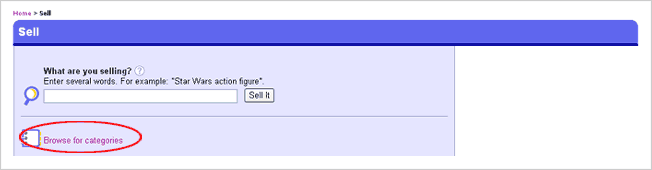
Start with the normal selling process by clicking on the “Sell” tab
Click Browse for categories
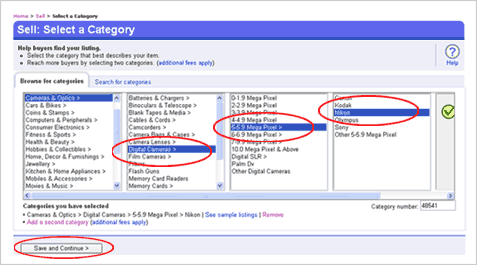
Remember Catalogs are currently available only for Digicams & MP3 Players
Select the right category
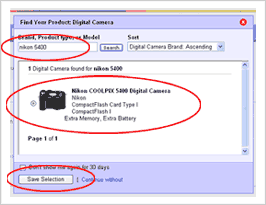
Enter your Brand or Model #, anything which will identify the product.
Tick on the radio button to select from the multiple options thrown up
Click Save Selection
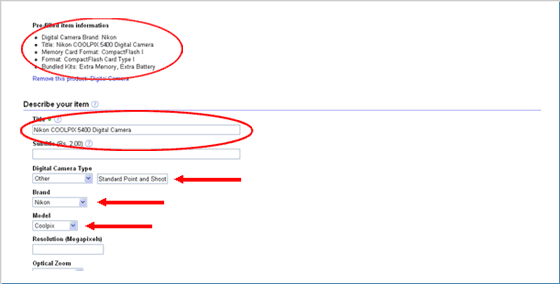
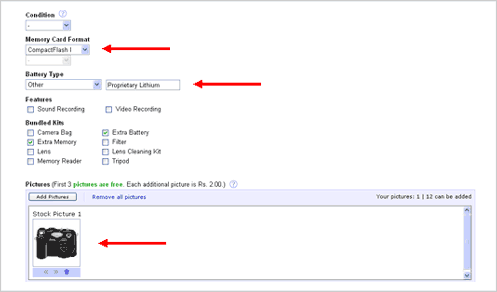
Those attributes which gets pre-filled by the feature will be shown in the S-Y-I For e.g.
The Title, Digicam Type, Brand & Model have been filled in automatically
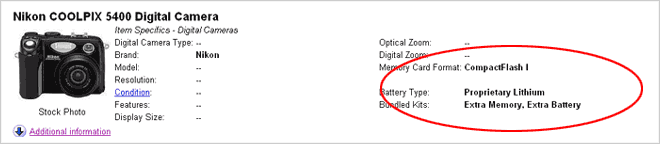
Memory Card, Battery Type & an image of the camera also gets populated automatically
You can change the options manually if required + select attributes which are not yet filled in
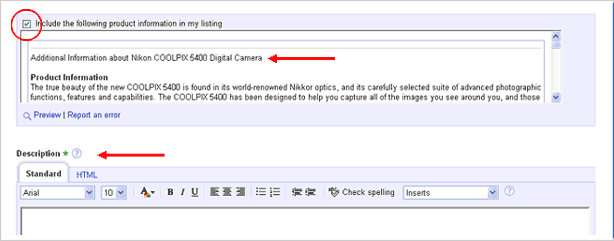
Marketing Text & Technical Details are visible just above the description
You can choose not to include it
Description box to enter your own information remains unchanged
Once done with entering all the other details, you can click “Save and Continue” & proceed
The listing will be live at your scheduled time
Now let us see how catalogs will be viewed by buyers :
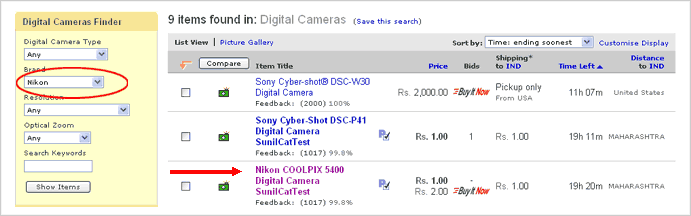
This is how a buyer might use the Product Finder to search for the item e.g. Nikon
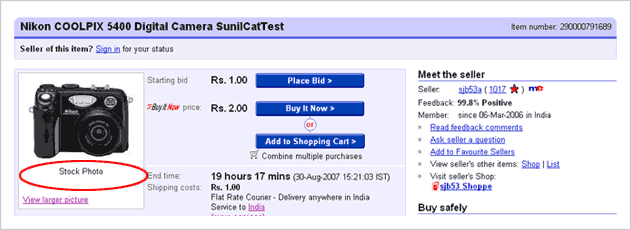
"Stock Photo" indicates that the image has been used from the catalog
You can upload your own images in place of or in addition to this "Stock Photo"
Attributes which may have been filled in via the catalog or by you will be displayed in the listing
Detailed information from the catalog will appear along with your own description